India International Jewellery Show: Building Global Business Connections in the Jewellery Industry
Practical steps for exhibitors and buyers at the India International Jewellery Show: plan your contact capture, use reliable digitization tools at the booth, and follow up within 48 hours to convert conversations into deals.

At a show like the India International Jewellery Show you will meet dozens of suppliers, designers, and buyers in a single day. The real win happens after the show, when those conversations convert into samples, orders, or long term partnerships. That requires a practical plan to capture contacts, add usable context, and follow up fast. This article explains how to prepare, what to do on the floor, and how to turn a pile of business cards into measurable business opportunities.
Who this is for: exhibitors and visiting buyers who need to build international relationships, salespeople seeking reliable lead follow-up, and operations staff responsible for importing leads into a CRM.
Before the show: prepare to build relationships, not just collect cards
Decide your goals in concrete terms: the number of qualified leads you want, the types of partners you need, and the follow-up timeline you can meet. With clear goals you can design a capture and follow-up process that fits your team.
- Schedule meetings first. Reach out to priority prospects through email or LinkedIn and book short meetings at the show. That reduces time wasted and creates higher quality conversations when you meet.
- Prepare short assets. One-page PDFs, product shots on a tablet, and sample price lists are easier to share and remember than long brochures.
- Choose how you will capture contacts. Plan a primary and a fallback method: for example, use a phone with a business card scanning app and keep a small stack of paper forms for exhibitors who insist on paper. Practicing the capture workflow avoids delays on the stand.
- Assign roles. Who will greet, who will demo, who will capture a contact, and who will take notes? Clear roles prevent lost information when the booth is busy.
On the show floor: capture context, not just names
At trade shows the common mistake is to collect cards without recording the conversation. You need two kinds of data: the contact itself and the trade context that turns a contact into a lead.
How to collect contacts efficiently
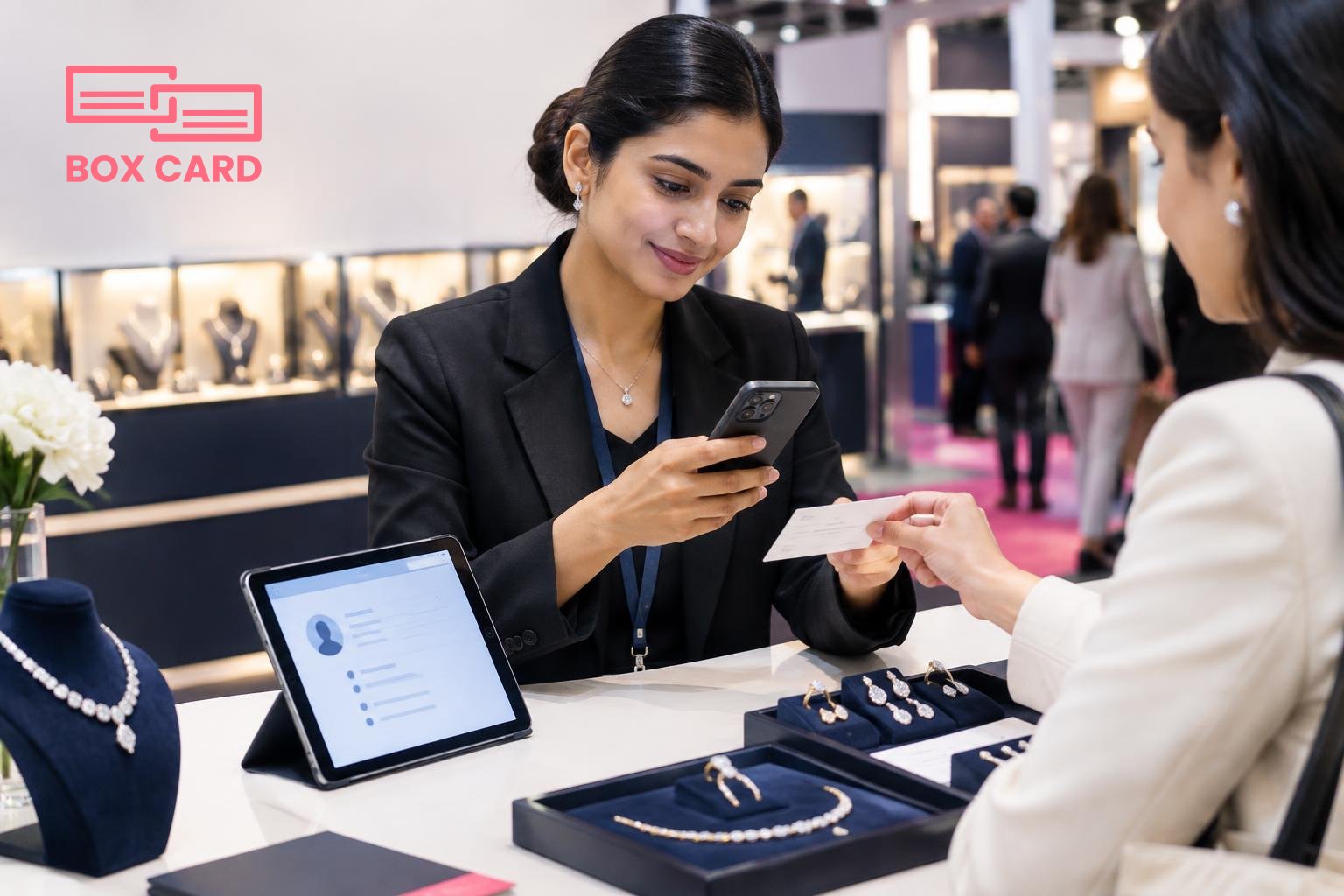
- Scan the card immediately. Use a reliable business card scanning app on your phone to create a digital record while the conversation is still fresh. That avoids returning to a stack of cards and losing who said what.
- Add a short note. Record what you discussed: interest area, next step, timeline, and any personal detail that helps recall the meeting. A sentence or two is usually enough.
- Tag or classify the contact. Use tags such as buyer, supplier, design partner, or sample request. Tags make later filtering and routing simple.
- Exchange digital info when appropriate. Some buyers and buyers prefer QR-based exchanges or a business card information sharing app. Offer both paper and digital options so you never lose a connection.
Using the right tools matters. A business card OCR app reduces typing and errors, while a high-accuracy business card scanning app means fewer manual edits. If your team plans to share contact lists across multiple people or locations, choose Cloud business card management to keep everyone synchronized in real time.
Examples of capture workflows
- Sales rep meets buyer: scan card with Boxcard scanning app, add tag "sample request", add note with sample SKU, set reminder for two business days.
- Design partner drops by: take a tablet photo of the sketch, scan card with business card OCR app, attach photo to the contact and flag for product development.
- Bulk supplier leads: collect cards in a labeled container, scan them at the end of the day using a Business card digitization app batch mode, then assign initial qualifiers the next morning.
After the show: follow up with speed and precision
Speed matters. Contacts who are followed up within 48 hours show significantly higher conversion into meetings and quotes. But speed alone is not enough; the message must be personalized and actionable.
Immediate tasks, within 48 hours
- Review and correct scans. Even a high-accuracy business card scanning app can misread names or company details. Correct these errors and ensure each contact has the right country code and email address.
- Assign follow-up owner. Route each lead to the right sales or product person. Use CRM integration to push contacts automatically where your sales process lives.
- Send a tailored note. Reference your conversation, include a specific next step, and attach promised materials. One or two short sentences that remind them who you are work better than long generic messages.
Organizing at scale
If your company collected hundreds of cards, you need a Business card data management system that supports bulk processing and export. Exporting to CSV or pushing via API to your CRM keeps the data usable for proposals, bids, and forecasting.
Look for tools that support CRM integration and simple tagging so the sales pipeline can be updated without manual re-entry. Teams that rely on CRM business card management find fewer lost leads and clearer responsibility for follow-ups.
Common mistakes and how to avoid them
- Saving cards without notes. A name without context is not a lead. Always add at least one line of context.
- Waiting too long to follow up. Delays make conversations cold. Commit to the 48-hour rule for initial contact.
- Using multiple unconnected tools. If some team members use one app and others use paper, contacts can be lost. Choose a single source of truth, such as Cloud business card management, and use it consistently.
- Ignoring local business practices. International shows require attention to language and customs. Make sure your follow-up message is appropriate for the recipients market and time zone.
Selecting the right tool for trade shows
Choose tools based on these criteria: accuracy, speed, team sharing, and CRM connectivity. If you expect heavy volumes, confirm the tool supports batch digitization and export. If your team needs to share contacts instantly, pick a platform with robust Cloud business card management features.
Examples of relevant tool types and why they matter:
- business card scanning app: Fast capture at the booth and immediate digital storage.
- business card OCR app: Reduces manual data entry and improves name/email accuracy.
- Business card digitization app: Useful for processing large stacks after the event.
- AI business card scanner: Helpful when cards include nonstandard layouts or multiple languages.
- CRM integration and CRM business card management: Make leads actionable in your existing sales workflow.
For teams that want an out-of-the-box experience, Boxcard and Boxcard business card management are options to consider for live scanning on the show floor. Boxcard scanning app is useful for single users who need quick capture, while organizations requiring shared access should evaluate platforms that offer BoxCard cloud or similar cloud sync features.
Measuring success
Track a few simple metrics: number of qualified leads, meetings scheduled within two weeks, conversion to quotes, and revenue from show-related contacts over the next six months. These metrics tell whether your capture and follow-up process is working and where to improve.
Sales support business card management practices reduce the chance that a lead slips through the cracks between the show and the sales team. If a particular capture tool reduces transcription errors or speeds follow-up, measure that improvement as time saved per lead.
Finally, document what worked and what did not after each show. Small tweaks to tagging, follow-up templates, or stand procedures compound into better results at the next event.
If you are attending IIJS, plan your capture workflow now: choose a primary digital tool, practice the scan-and-note routine, and commit to a 48-hour follow-up window. Those three steps will turn more conversations at the show into real business outcomes.
