How Does AI Accurately Read Business Cards? From Image to Structured Contact Data
Business cards are easy to collect—but hard to manage at scale. The real challenge isn’t storing them, it’s turning them into accurate, searchable, and usable data. This is exactly where AI-powered business card recognition changes the game.
1. The real challenge: extracting the right information
Anyone can take a photo of a business card. But correctly identifying name, email, job title, and company—without mixing them up—is far more complex.
Business cards are not standardized:
- ・Layouts vary widely
- ・Fonts and languages differ
- ・Key information is mixed with logos, taglines, and design elements
To solve this, AI doesn’t just read text—it processes and interprets the entire card.
2. OCR: making the content readable
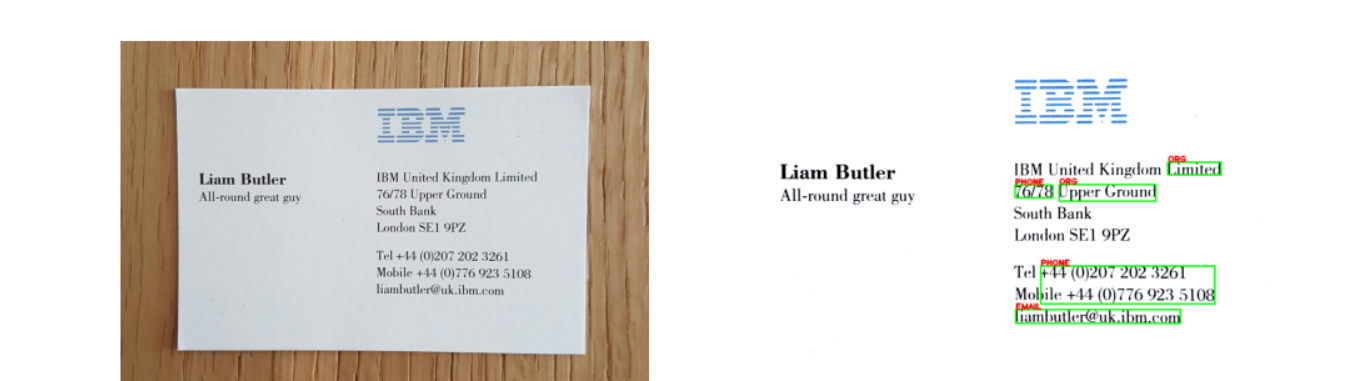
Everything starts with converting the image into text.
When a card is scanned, the system automatically:
・Cleans the image (removes noise, glare, shadows)
・Corrects alignment (tilted or skewed cards)
・Detects and recognizes characters line by line
Modern OCR models (such as CNN + LSTM) can achieve 90–96% accuracy, even with:
・Stylized fonts
・Colored or complex backgrounds
・Multilingual content
At this stage, however, the output is still raw text—not structured data.
3. Layout understanding: avoiding costly misclassification
Raw text alone is not enough. Without structure, even accurate OCR can lead to wrong results.
AI analyzes how information is visually organized:
・Position of each text block
・Font size and emphasis
・Spacing and grouping between elements
This allows the system to infer meaning:
・Large text at the top is likely a name
・Text near the name is often a job title
・Bottom sections usually contain contact details
Without this layer, systems often make critical mistakes—like treating a slogan as a person’s name or misassigning company information.
4. AI + NLP: turning text into meaning

Once both text and structure are understood, AI starts interpreting the content.
The system first recognizes that the input is a business card, which allows it to apply specialized logic instead of generic text parsing.
From there, it identifies key data points using a combination of patterns, dictionaries, and context:
- Names are inferred from position and formatting
・Emails are detected through standard patterns
・Job titles are identified via role-related keywords
・Companies are linked through placement and association
・Phone numbers follow regional formatting rules
The real advantage comes from context awareness.
For example, in
“Marketing Manager – ABC Company”
AI understands the relationship between elements and correctly separates:
・Job Title → Marketing Manager
・Company → ABC Company
This ability to interpret meaning—not just match keywords—is what makes modern systems reliable.
5. From extracted data to usable data
Even accurate extraction is not enough if the data is inconsistent.
AI systems refine the output to ensure it can be used immediately:
・Validating formats (email, phone number)
・Standardizing variations (e.g., “Ltd.” → “Limited”)
・Structuring data into formats like JSON or vCard
・Syncing directly with CRM systems or contact lists
This is what transforms raw extraction into usable business data.
6. Why accuracy is consistently high
High performance comes from combining multiple layers of intelligence:
・OCR trained specifically on business card datasets
・Layout-aware processing aligned with real-world designs
・NLP models that understand relationships between fields
・Built-in dictionaries for names, companies, and job titles
・Continuous learning from real usage data
Each layer reduces a different type of error, resulting in strong overall accuracy.
7. What impacts performance in real-world use
Even the best AI depends on input quality.
Common factors that affect results include:
・Blurry or poorly lit images
・Overly complex or unconventional card designs
・Inconsistent internal data formats
To maximize accuracy, businesses should:
・Capture clear, well-lit images
・Standardize data formats internally
- ・Customize dictionaries for specific industries or roles
8. Boxcard – turning contact data into a competitive advantage
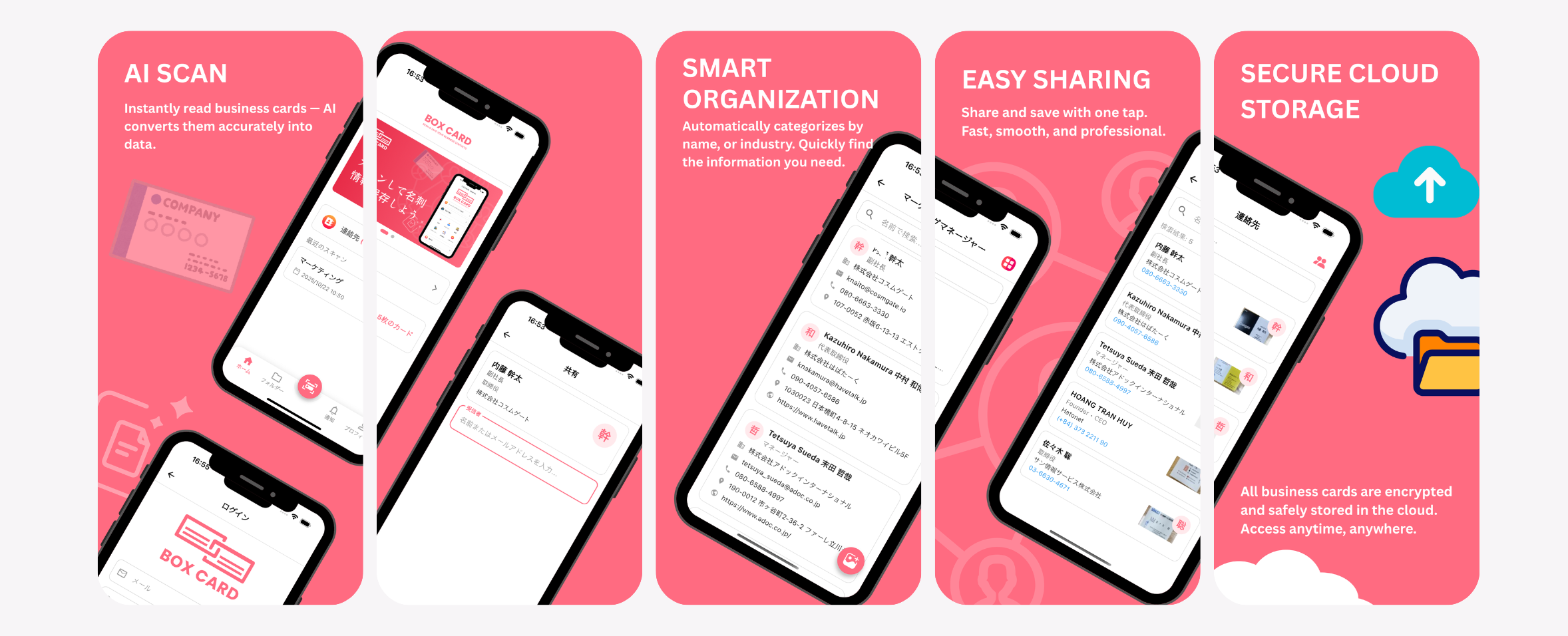
To turn business card digitization into a repeatable, organization-wide process, the tool itself must support consistency, not just convenience. Boxcard is designed around this principle, helping teams capture, structure, and reuse contact data without relying on individual habits.
Key features of BoxCard include:
・AI-powered business card scanning
Instantly extracts and categorizes contact details, reducing manual input and correction.
・Centralized cloud storage
All digitized business cards are securely stored in the cloud, preventing data silos and lost contacts.
・Standardized data formatting
AI helps normalize names, titles, and contact fields, improving downstream CRM usability.
・Easy team sharing
Contacts can be shared across teams, supporting collaboration and faster follow-ups.
・Bulk data export
Business card data can be downloaded in bulk, making it easier to integrate with CRM systems or internal databases.
By embedding these capabilities into everyday workflows, BoxCard helps organizations treat business card data as a shared operational asset rather than a personal task.
To start building a more reliable contact data foundation, BoxCard is available for download:
・Download BoxCard on the App Store
・Download BoxCard on the Google Play Store
AI-powered business card recognition combines OCR for extracting text, layout analysis for understanding structure, and NLP for interpreting context, enabling systems to accurately identify and classify key information such as names, emails, job titles, and companies, while post-processing ensures the data is clean, standardized, and ready for integration—ultimately transforming unstructured business cards into reliable, actionable data that supports efficient contact management and better business outcomes.
