Business Card Etiquette in China: Professional Customs for International Meetings
Practical, culturally correct steps for exchanging business cards in China: how to present and receive cards, what to avoid, and how to digitize contacts afterward using scanning apps and CRM integration for reliable follow-up.
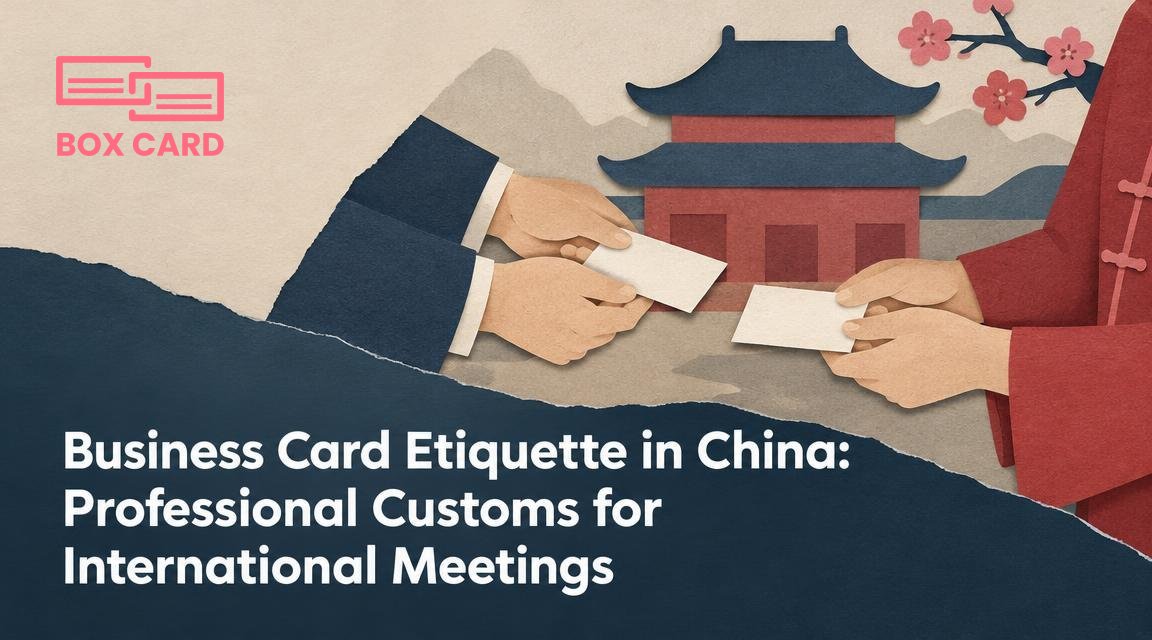
You arrive in a meeting room in Beijing with a stack of business cards and a question: how do you exchange them without causing offense or losing an important contact? In China the business card is still a small professional ritual that communicates respect, rank, and seriousness. This article tells you what to do before, during, and after the card exchange, and how to use technology to preserve the contacts you collect.
Before the meeting: prepare cards for a Chinese context
Bring printed business cards even if you plan to connect on WeChat. Many Chinese professionals expect a physical card at the first meeting. Make at least a few cards with Chinese translations of your name and title on one side. If you can, include both English and simplified Chinese on the same card, with the Chinese side clearly legible.
- Language and layout: Put your Chinese name and title on one side. If the card is bilingual, put the Chinese side in a position that can be read by the recipient when you hand it over.
- Quantity: Bring more cards than you expect to need. It looks careless to run low.
- Card quality: Use a clean, professional design and a durable card stock. That matters more in China than in many Western markets.
During the exchange: basic rules and real situations
The usual sequence is: the most senior person offers their card first, and recipients accept with both hands. If you do not know the rank, wait until your host or the company representative begins. Present and receive cards with both hands, and turn the card so the recipient can read it immediately. That small gesture shows consideration.
Step by step
- Take a card from your case and face it toward the recipient so the text is readable to them.
- Offer it with both hands and a slight nod. Say your name, and listen for any correction of pronunciation.
- When you receive a card, take it with both hands and pause to read it. Hold it between your hands or place it carefully on the table in front of you. Do not shove it into a pocket while continuing the conversation.
- If you need to pass cards to others in the room, do so respectfully and in order of seniority. Do not fan cards casually; keep them flat and tidy.
Common mistakes to avoid: using only one hand when giving or receiving, immediately writing on the card in full view of the giver, folding or putting the card into a back pocket, and ignoring the card as if it were unimportant. Any of those actions can be taken as disrespectful.
What to do after you receive cards
Leave cards visible on the table during the meeting if appropriate. Placing someone else’s card under your notebook or writing on it without permission is rude. After the meeting, collect cards into a dedicated cardholder or sleeve. At that point you can digitize the cards so the information is preserved and searchable.
When you digitize business cards, do it promptly. Scanning right after a meeting reduces transcription errors, and it is easier to attach context notes while details are fresh. If you use a business card scanning app, tag the contact with meeting notes such as role, company, and follow-up actions.
Using digital tools without losing cultural respect
China is digitally advanced, and many professionals switch quickly to WeChat. Even so, start with a physical card exchange unless your host clearly suggests otherwise. After exchanging cards it is normal to add each other on WeChat. You can scan a WeChat QR code and then, later, use a business card scanning app to capture the printed card into your records.
Choose a solution that fits your workflow. If you want a simple on-the-fly capture, a business card OCR app will convert the printed details into editable text. For teams that need follow-up and pipelines, pick a tool with CRM integration so scanned contacts can flow into your sales or account system. For single users, a reliable business card digitization app that syncs to cloud storage is often enough.
Boxcard can be mentioned here as an example of apps that handle scanning and organizing business cards. If you plan to use a dedicated tool, try a few features first: accuracy of OCR with Chinese characters, how the app preserves original card images, and whether it offers Cloud business card management or easy CRM integration. A Boxcard scanning app or other high-accuracy business card scanning app reduces manual correction, and an AI business card scanner may speed processing for large batches. If you need to share contacts inside a team, look for a business card information sharing app or business card management app that supports role-based access and notes.
Privacy and permission
Scanning a business card that someone has handed you is widely acceptable. Do not publish personal data or add someone to a group without consent. When you plan to add a scanned contact to a CRM or share it with colleagues, a brief message is polite: “May I add your card to our contact system for follow-up?” That small step reduces any discomfort about data sharing.
Practical trade-offs: physical card, WeChat, or straight to CRM
Deciding how to manage contacts depends on context.
- Formal meetings with state-owned or traditional firms: Always bring and exchange physical cards first. Use a card scanning app later.
- Startups and tech partners: Many expect a quick WeChat exchange, but a physical card still demonstrates preparedness. Scan the physical card afterwards so you keep a reliable record.
- Trade shows or networking events: You may gather many cards quickly. Use a business card digitization app or an AI business card scanner to batch process them, then review results for accuracy.
If your organization requires contact records in a central system, prioritize CRM business card management or a business card data management system that offers CRM integration. For teams that only need basic storage, Free business card management options can work, but verify export and backup features before you commit.
Short phrases to use during the exchange
- When giving your card: “Please accept my card.” Chinese: “请收下我的名片” (Qing shōu xià wǒ de míngpiàn).
- When accepting: “Thank you, may I read it?” Chinese: “谢谢,能让我看一下吗?” (Xièxie, néng ràng wǒ kàn yíxià ma?).
- When asking to add to WeChat: “May I add you on WeChat?” Chinese: “可以加您微信吗?” (Kěyǐ jiā nín Wēixìn ma?).
Respect the card, read it, and do not rush the exchange. The physical ritual matters as much as the contact details.
Prepare bilingual cards, practice offering and receiving with both hands, and plan a quick workflow to digitize contacts after meetings. If you collect many cards, pick a high-accuracy business card scanning app and check whether it offers CRM integration or Cloud business card management. A reliable business card OCR app or a Boxcard business card management workflow will save time and reduce errors. Finally, always respect privacy when sharing scanned contacts.
Actionable next step: before your next trip to China, make 100 bilingual cards, rehearse the two-hand exchange, and choose one app for business card digitization. Test it with Chinese characters, and configure CRM integration or team sharing so follow-up is immediate and accurate.
