Business Card Design Ideas for Technology Companies and IT Professionals
Design a card with one clear purpose, then match visuals, materials, and interactivity to that goal. Pick a single mobile-ready link, make contact details easy to import, and test a small print run at events before ordering large quantities.
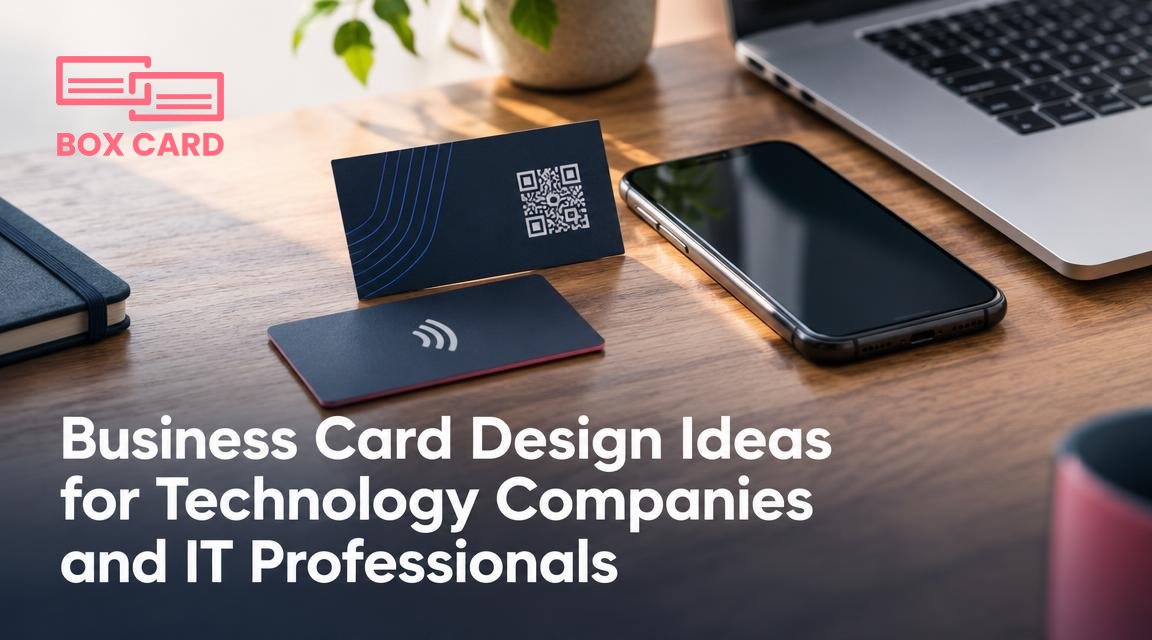
You are designing a business card for a technology company or an IT professional. The card should do more than share contact details: it should signal technical competence, make follow up easy, and survive the context where it will be handed out, such as a crowded conference, a pitch meeting, or a client kickoff.
Decide the card's primary purpose
Start by picking one primary purpose. Every design decision flows from that choice. Common purposes for tech business cards include:
- Networking at conferences, where rapid scanning and visual punch matter.
- Sales conversations, where the card needs to reinforce product or service credibility.
- Recruiting or employer branding, where the card serves as a tangible brand touchpoint.
- Developer or freelancer self-promotion, where links to code, demos, and case studies are expected.
If your card tries to do all four at once it will be cluttered and ineffective. Pick the main goal, then add one or two secondary functions at most.
Design language: visual elements that communicate technical credibility
Tech-oriented aesthetics can follow different visual directions. Choose one and apply it consistently.
Clean product-focused
Use a restrained palette, readable sans serif typography, and a clear hierarchy that highlights the company or product name first. This works well for startups, SaaS vendors, and product managers who want a professional, modern presence.
Experimental or hacker ethos
For developer personas, incorporate monospaced fonts, subtle code-like glyphs, or a small, tasteful code snippet or command line prompt as an Easter egg. Keep readability high: decorative code elements should not replace contact information.
Enterprise seriousness
For larger IT vendors or consultants, choose conservative type, a muted palette, and a heavier card stock. Embossing or foil can indicate stability without being flashy.
Helpful visual details to consider: a distinct corner radius, a small logo mark on the edge, or a consistent icon set for contact methods. Use contrast for legibility: avoid placing light gray text over mid-tone colors when the card will be read under varied lighting.
Data and layout: what to include and what to omit
Technology cards face two special constraints: recipients expect digital follow up, and security concerns can rule out oversharing. The data you include should match the card's purpose.
- Essential fields: name, primary role, company, one preferred contact method (email or direct work line), and one digital entry point such as a QR code or short URL.
- Optional fields: office address if relevant, secondary phone for assistants, LinkedIn handle, GitHub handle or portfolio link for developers.
- What to omit: full residential address, multiple personal phone numbers, sensitive internal system details, or anything that encourages casual sharing of secure access.
For readability, use two-sided printing: front for brand and primary contacts, back for the QR code, short pitch, or a compact list of technical specialties. That keeps the front uncluttered while still carrying useful information.
Interactive elements: QR codes, NFC, and what to link them to
Interactive tech elements let the recipient move quickly from a physical card to a digital asset. But how you use them matters.
- QR code portfolio: Link to a single, mobile-optimized landing page that presents a one-minute tour: key projects, a demo link, and a clear call to action for contacting you. Avoid linking to a raw GitHub profile unless that profile is curated for external viewers.
- NFC business cards: Embed a tap-to-open URL into a chip. NFC is fast for phone users who know how to use it, but it raises the cost and is not universally compatible. Use NFC when you expect high-value contacts who will appreciate the novelty and immediacy.
- Short URLs and tracking: Short, brandable URLs are easier to type for recipients who prefer manual entry. Add analytics only if you inform recipients or use the data for aggregate insights, not to track individuals.
Link destination options ranked by usefulness for most tech cards: a concise mobile landing page, a vCard download, a demo video or product tour, a curated developer portfolio. Pick one primary destination and make sure it works on mobile without extra authentication.
Material and finishes that suit tech brands
Material choices help communicate personality and durability. Consider these practical pairings between purpose and material.
- High-volume conference networking: Standard 16 point uncoated or matte stock, economical but sturdy. Add a small logo spot gloss for recognition under a glance.
- Sales or investor meetings: Thick 32 point stock, softened corners, and a subtle foil or blind emboss for a premium feel.
- Developer or creative portfolio: Textured or translucent plastic cards that stand out and survive living in wallets and pockets.
- Sustainable branding: Recycled stock with natural fibers. Be ready to accept slightly muted colors and adjust contrast accordingly for legibility.
Special finishes such as metallic foil can read as high-end, but they may interfere with QR code scanning if applied near codes. If you use a foil element, keep scanning zones plain.
Role-specific templates and small decisions that matter
Design choices should reflect the cardholder's function. Here are compact templates and why they work.
CTO or technical founder
- Front: Company logo, name, and role. One-line tagline describing the product domain.
- Back: QR code portfolio linking to architecture diagrams, major deployments, and press mentions. Lightweight privacy note if NDA content is behind links.
- Material: Thick matte stock with subtle emboss.
Sales engineer or solutions architect
- Front: Name, role, direct office line, and company logo. Include a short list of verticals served or key technologies supported.
- Back: Custom short URL to a product demo or scheduling link to book a call.
- Material: Durable stock, easy to write notes on during meetings.
Developer or freelancer
- Front: Name, GitHub handle or portfolio handle, and contact email.
- Back: QR code portfolio, sample code snippet as an Easter egg, or a short URL to a single best project.
- Material: Translucent or tactile stock to hint at creativity.
Production and technical setup checklist
- Confirm final bleed and safe area with your printer, typically 3 mm bleed and 3 to 4 mm safe margin.
- Export colors as CMYK for print, or provide Pantone references for spot colors when precision matters.
- Test QR code and NFC on multiple phone models. Place the code on an uncluttered background with at least 20 percent quiet zone around it.
- Proofread every field. A tiny typo in an email address will ruin usefulness.
- Order a small batch first. Live events reveal practical issues you cannot see on a screen, such as glare, scanner failures, or how quickly a card gets dog-eared.
An ethics and privacy note
Tech cards often encourage quick digital access. Do not bury tracking or data collection behind a quick scan. If a QR code or NFC chip sends users to a page that collects data, display a brief privacy statement and offer a low-friction alternative method to reach you.
Also consider the environments where your card will be shared. At trade shows or public meetups it may be better to omit direct system passwords or internal staging URLs that could be misused.
For many tech professionals a hybrid approach works best: a tidy printed card for first impressions, plus digital business cards or business card scanning options that let contacts import details cleanly when they are ready.
To choose the right final design, pick the card purpose, select one interactive element to link to a single, mobile-ready destination, and test a prototype in the field. That process identifies the small changes that make a business card both memorable and genuinely useful.

