The Forefront of Business Card Scanning at Japan IT Week: Choosing the Right Management Tool to Accelerate DX
At Japan IT Week, business cards have evolved from simple contact records into key data assets for sales, and this article highlights the evolution of scanning solutions and key selection factors.
1. The Significance of Business Card Scanning at Japan IT Week
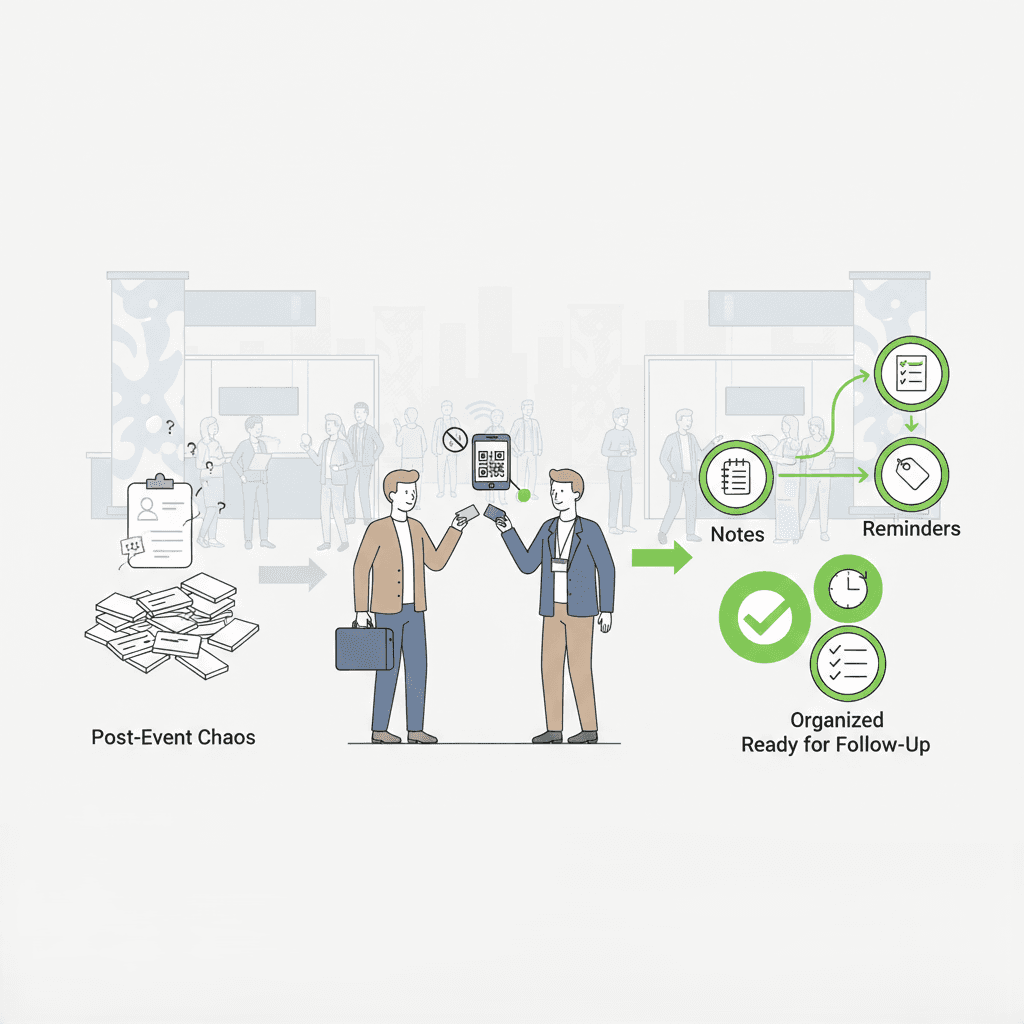
Japan IT Week is characterized by:
・Scale: Participation from thousands of companies.
・Specialization: Multiple specialized zones, including AI, Business Automation, and Sales DX.
・Objective: Acquiring a high volume of business touchpoints in a short timeframe.
The value of business card scanning is as follows:
・Accelerated Networking: Instant digitization allows for the management of hundreds of contacts in real-time.
・Enhanced Lead Generation: Direct CRM integration enables immediate follow-ups after the event.
・Transitioning from Paper Culture: It serves as a practical first step for Japanese companies to embrace broader DX.
2. Categorizing Business Card Scanning Solutions
Solutions observed at the event can be broadly classified into four categories:
・Mobile App-Based: Utilizes smartphone cameras for easy, on-the-go scanning. Popular among individuals and SMEs due to its accessibility.
・SaaS-Integrated: Directly links scanned data with CRM or SFA systems to streamline the entire sales process. This is increasingly the standard for mid-to-large enterprises.
・AI-OCR API: Provides technology that can be embedded into a company’s existing systems, allowing for high levels of customization. This is aimed at developers and large-scale enterprises.
・Digital Business Cards: A newer form of contact exchange using QR codes or links. These have seen rapid adoption in recent years as a contactless alternative.
3. Trends in Booth Demos: From Character Recognition to Data Utilization

Booth demonstrations clearly show that technology has moved beyond simple character recognition toward sophisticated data utilization.
AI-OCR accuracy has improved significantly, now handling Japanese-specific Kanji and complex layouts with ease. Furthermore, Natural Language Processing (NLP) automatically structures the extracted text, categorizing data into fields such as name, company, and department within seconds. These processes have reached a practical, high-utility level.
A notable trend this year was the hybrid use of paper and digital cards. Exhibitors proposed flexible workflows where staff could switch between scanning physical cards and exchanging digital ones based on the visitor's preference. This hybrid model is a realistic approach for the Japanese market, which is currently in a transitional phase.
4. Practical Comparison: 6 Business Card Scanning Apps
HubSpot
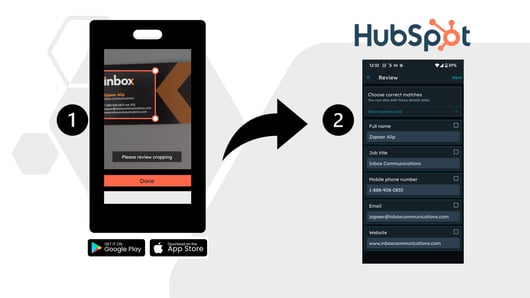
While widely known as a CRM platform, HubSpot includes a built-in business card scanner. When a card is captured via camera, the AI recognizes the text and automatically registers it as a contact.
・Feature: Seamless, fully automated integration with the CRM, directly linked to marketing and sales workflows.
・Pros: No manual data entry required after scanning; lead management is built-in.
・Cons: General OCR capabilities (for non-business cards) are limited compared to dedicated tools.
・Best For: Companies wanting to move leads immediately into the sales pipeline post-event.
CamCard Lite
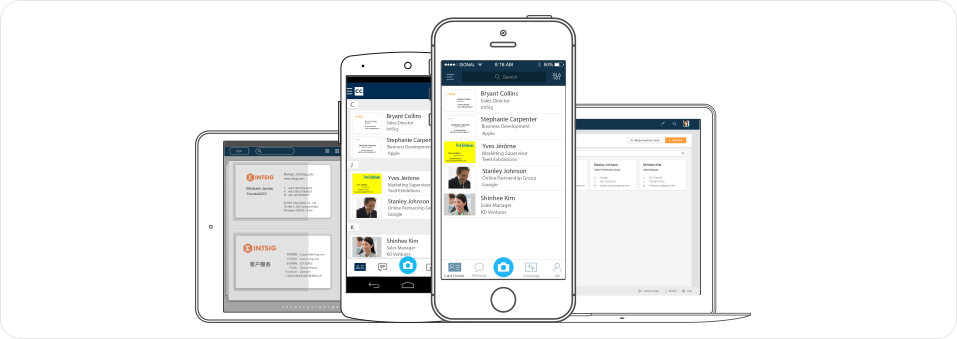
A veteran in the field with a massive user base. The Lite version is lightweight but features powerful multi-language support and batch processing.
・Feature: OCR support for over 25 languages and cloud backup.
・Pros: Highly efficient for processing large volumes of cards at once.
・Cons: CRM integration may require third-party connectors; occasionally struggles with non-standard English layouts.
・Best For: Users needing to process a high volume of cards at events.
Microsoft Office Lens
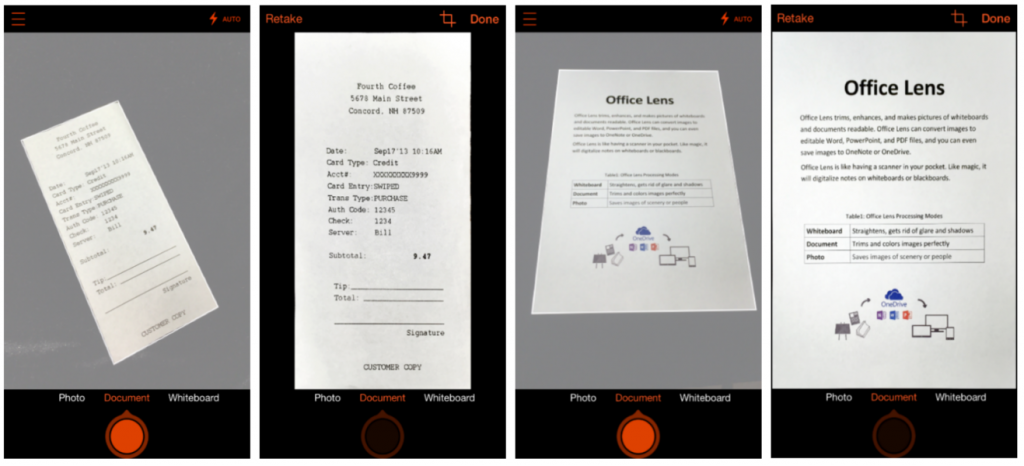
While a general document scanner, it features a dedicated business card mode optimized for the Microsoft ecosystem.
・Feature: Direct export to Excel, OneNote, and Outlook.
・Pros: High affinity with Microsoft 365 workflows.
・Cons: Features are limited to scanning; does not offer deep CRM/Lead management.
・Best For: Organizations that complete most tasks within the Microsoft Office suite.
Google Lens
A versatile image recognition tool. While its dedicated management features are slim, its speed and integration with Google Search are unmatched.
・Feature: Ability to search or copy info directly from the card in real-time.
・Pros: No dedicated app needed; extremely fast and accessible.
・Cons: Lacks professional CRM integration or contact database management.
・Best For: Users wanting to quickly digitize or extract specific info on the fly.
BoxCard

A standout solution at this year's exhibition, BoxCard goes beyond scanning by allowing users to share their own info as a digital business card
・Feature: Dual-function: Scanning digitization + Digital card generation.
・Pros: Ideal for paperless networking and contactless exchange; useful even when physical cards run out.
・Cons: CRM integration and data management features are still evolving.
・Best For: Organizations seeking a modern, paperless networking experience.
👉 Download BoxCard now on the App Store or Google Play and start managing your business cards more efficiently.
5. Performance Comparison Table
| App | Processing Speed | OCR Accuracy | Japanese Support | CRM Integration | Digital Card |
| HubSpot | Fast | Very High | Excellent | Native | No |
| CamCard | Fast | High | Excellent | via External | No |
| Office Lens | Moderate | Good | Excellent | Partial | No |
| Google Lens | Fast | Good | Excellent | None | No |
| BoxCard | Fast | Good | Excellent | In Development | Native |
6. User Experience and Implementation Tips
Strengths of On-Site Demos
・Hands-on experience with immediate testing.
・Real-time processing speed validation.
・Direct guidance from technical staff.
Points of Caution
・Some apps still require manual correction for stylized fonts.
・Ensure the UI is optimized for Japanese honorifics and address formats.
・Verify if the tool can bridge the gap with your existing corporate workflow.
Example Workflow
・Receive Card → Scan immediately.
・Verify Data → Sync to CRM.
・Post-Event → Execute automated follow-up.
7. The Future of Business Card Management
The field is shifting from "digitization" to "data activation." In the near future, AI will not just extract text but also analyze customer data to suggest the next best sales action. For example, systems will likely prioritize leads based on card data and propose appropriate follow-up strategies.
Furthermore, as digital business cards become the norm, we are entering an era where professional business identities are managed entirely in a digital ecosystem, bypassing physical media altogether.
8. The Reality of DX Implementation at Japan IT Week

Japan IT Week is more than just a tech show; it is a barometer for how companies implement DX at the ground level.
Through the lens of business card scanning, it is clear that Japanese firms have moved from the "data accumulation phase" to the "data utilization phase." Scanned information is no longer just a contact; it is treated as a strategic asset to accelerate sales activities.
In future exhibitions, the value of a solution will be measured not just by technical metrics like OCR accuracy or processing speed, but by how effectively it delivers actual business results. Business card scanning solutions are now foundational pillars of DX. When selecting a tool, it is vital to evaluate CRM connectivity, Japanese OCR accuracy, and on-site usability. This choice is the key to maximizing the business opportunities captured during the exhibition.
