Sansan Review: Business Card Management Software for Enterprise Teams
This Sansan review helps enterprise buyers decide whether centralizing business card capture will reduce lost leads and improve governance. Follow the practical checklist, pilot plan, and workflows to test the product with your real data before scaling.
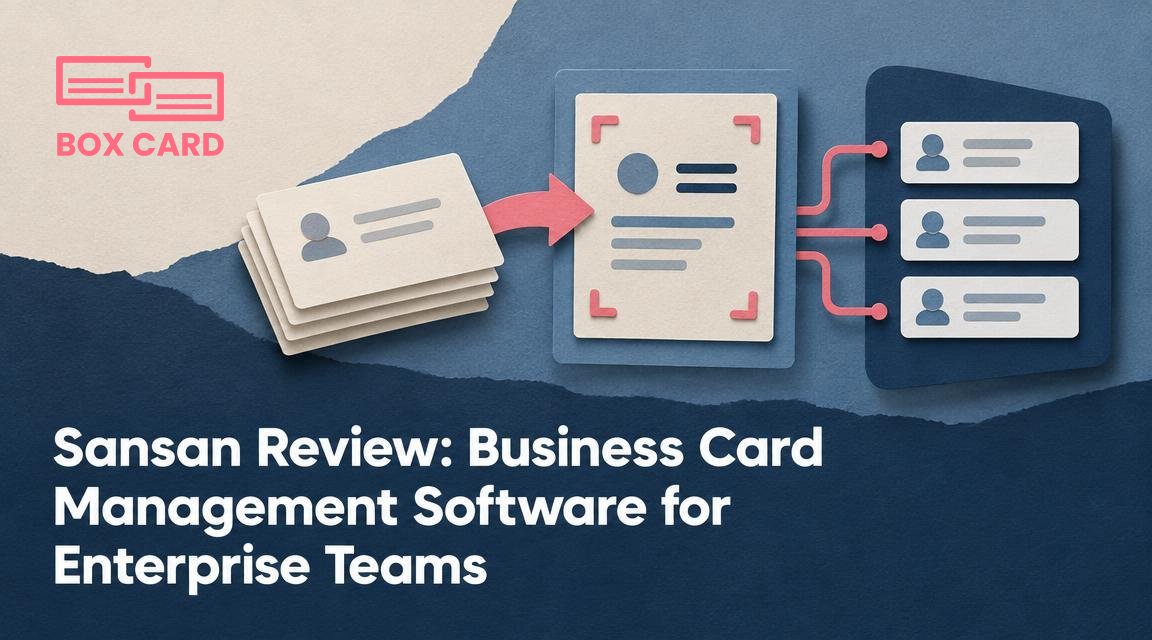
You have teams collecting business cards from trade shows, meetings, and dinners, and those contacts live in disconnected places: a salesperson's phone, a spreadsheet, a stale CRM record. That loss of context and follow up is the problem a tool like Sansan is meant to address. This Sansan review focuses on the one decision enterprise buyers need to make: will switching from ad hoc card handling to a centralized business card system actually improve sales, compliance, and knowledge sharing for your teams? I will not guess pricing or promise miracles. Instead this article gives the practical criteria, migration steps, sample workflows, and pitfalls that matter when an enterprise evaluates a solution in this category.
What enterprise buyers should expect from a solution like Sansan
Short answer: a centralized contact repository that captures information from physical cards and makes that information accessible to teams. For enterprises the real value is not only accurate capture, but governance, searchable context, and reliable ways to push contacts into existing systems. When evaluating any vendor in this space, focus on how the product will change your team behavior and your operational controls, not only how fast it scans a card.
Practical evaluation checklist
Use these criteria to separate vendor sales talk from what you will actually live with. For each item, test it with real data from your company before you buy.
- Business card OCR accuracy: measure it on your actual cards, including nonstandard layouts, stylized fonts, and languages your teams encounter. A vendor might quote high accuracy on simple cards but heavy use of logos or vertical Japanese text can change results.
- Multi-language support: if your company operates across regions, verify languages and scripts, and check how the system stores original characters vs transliterations.
- Deduplication and normalization: test the system with duplicates, name variants, and company name abbreviations to see how it merges records and preserves original card images.
- Admin controls and governance: look for role-based access, audit logs, export controls, and retention settings so data handling fits legal and internal requirements.
- Integration with existing systems: confirm how contacts are pushed or synchronized to your CRM business card management processes. Ask whether the vendor supports one-way exports, scheduled syncs, or API-driven integrations, and bring your IT team into the test.
- Search and tags: enterprise value comes from findability. Test free-text search, company and tag filters, and the ability to search within notes or card images.
- Team workflows and sharing: check how captured cards are shared across teams, how ownership is assigned, and whether contacts can be tied to deals, projects, or accounts.
- Security and compliance: request documentation on encryption, data residency options, and compliance certifications relevant to your industry. If you require audits, ask how the system produces logs or data exports.
- Admin and user onboarding: measure how long it takes to enroll 100 users, how the vendor supports training, and whether there are tools to monitor adoption.
- Reporting and ROI metrics: ensure you can measure the outcomes you care about, such as contacts imported into CRM, follow-up rates, or leads sourced from scanned cards.
Migration and pilot plan: a step by step approach
Large teams fail most often because they try to do everything at once. Use a staged pilot to validate assumptions and uncover hidden costs.
- Inventory and sample export: list where cards currently live. Pull representative samples: different regions, languages, and card types. Use those for an initial accuracy test.
- Define minimal integrations: choose one CRM instance or a sandbox and map the exact fields you want synced. Keep mapping simple at first: name, company, title, phone, email, and a link to the scanned image.
- Pilot with one team: pick a small, motivated group such as a product sales pod or recruiting team. Run the pilot for 4 to 8 weeks and set clear metrics: number of cards scanned, percent of contacts synced to CRM business card management workflows, and follow-up conversion rate.
- Data cleanup and rules: during the pilot, document common edge cases and create normalization rules. Decide canonical company names, how to handle multiple emails, and whether to enrich contacts automatically.
- Scale in waves: roll out additional teams in waves after the pilot proves the process and integrations. Use each wave to refine training materials and governance policies.
- Full audit and retention policy: once in production, schedule periodic audits to correct misreads and confirm retention settings meet compliance needs.
Three sample workflows that show value
Sales: faster lead follow up
A salesperson scans cards after a conference, contacts appear in the shared database, and the sales operations team tags and routes qualified prospects to account owners. The measurable win is shorter lead response time and fewer lost contacts when a rep leaves the company.
Marketing: better event ROI
Marketing exports scanned contacts from an event to a campaign list, segments by tag, and measures campaign engagement. The difference from manual import is quicker segmentation and more accurate attribution of event leads to revenue.
Recruiting: retaining candidate context
Recruiters capture cards from meetups and attach notes and interview outcomes. Centralized contact records prevent duplicate outreach and preserve historical context when hiring managers change.
Common mistakes and how to avoid them
- Skipping a realistic accuracy test: many teams run a vendor demo with ideal cards. Instead, test with your messy cards. Results will reveal hidden work: manual corrections, special characters, or languages that need extra review.
- Underestimating governance needs: if you do not set clear rules for who owns a scanned contact and how it is shared, the database becomes cluttered. Define ownership, merge rules, and conflicts handling before full rollout.
- Ignoring user convenience: if the capture workflow is inconvenient, users will revert to taking photos and keeping lists locally. Test the capture experience on the devices your teams actually use.
- Expecting magic enrichment: vendors sometimes advertise contact enrichment. Treat enrichment as optional and verify the source and freshness of any added data.
Decision rule: when an enterprise solution makes sense
Choose an enterprise business card management product when three conditions are true for your organization:
- You have measurable volume: dozens to thousands of cards per month across teams.
- You lose follow-up or revenue because contacts are scattered across devices and spreadsheets.
- You need centralized controls for compliance, retention, or auditability that a simple phone app or ad hoc process cannot provide.
If only one of these is true, a lightweight app or disciplined manual process may be sufficient for now. If two or more are true, a centralized system often pays for itself in reduced data loss and clearer ownership.
Final practical next steps
Do not buy on hype. Run a short trial with a representative dataset and a single integration to your CRM business card management workflow. Measure capture accuracy on your cards, observe user behavior for four weeks, and insist on written answers about security and export options. If the pilot improves contact follow-up and preserves context when staff rotate, you have a solid case to scale.
Quick takeaway: Assess Sansan or any enterprise solution by testing it on your real cards, integrating it with a single CRM instance, and piloting with one team. The right system will reduce lost contacts, enforce governance, and make business card data usable across your organization.

