Business Card Networking at UK Tech Events: From First Meeting to Follow-Up
Networking at UK tech events only pays off when you move quickly: scan each card, add a one-line note, send a short personalised follow-up within 48 hours, and triage contacts before adding them to CRM. This article gives a step-by-step workflow you can use at your next event.
You meet someone at a UK tech event, exchange cards, and two days later the contact slips into a pile and disappears. That wasted connection is the most common networking failure. This article gives a clear, practical sequence from the first handshake to a useful follow-up, with realistic choices you can make at each step so the contact becomes a relationship, not a forgotten card.
Before the event: prepare so follow-up is possible
Decide how you will capture contacts before you arrive. Bring a small stack of business cards, and install a reliable business card scanning app on your phone. If you plan to digitize cards at the event, test the app under artificial lighting similar to the venue and practice one quick scan. Know whether the app supports export options or CRM integration; that determines whether you can push new contacts into your sales or account systems without manual retyping.
- Organise your digital system: create folders or tags that match your priorities: recruit, prospect, partner, press.
- Decide capture rules: will you scan every card immediately, only target cards, or photograph and scan later? Scanning on the spot reduces loss but costs time.
- Prepare message templates: short, personalised follow-up messages save time. Keep three ready: immediate meeting request, quick thank you, and information send. Personalise them later.
At the event: exchange cards with intent
How you exchange a card matters. When you ask for a card, do it with a reason: "Can I send an intro to our X tool?" That shows value rather than collecting. If someone asks for your card, hand it over with a short context reminder: "We spoke about cloud migration earlier; please keep my card." If you receive a card, write one quick note on the back while the conversation is fresh: what you promised, why you should follow up, or the next step you discussed.
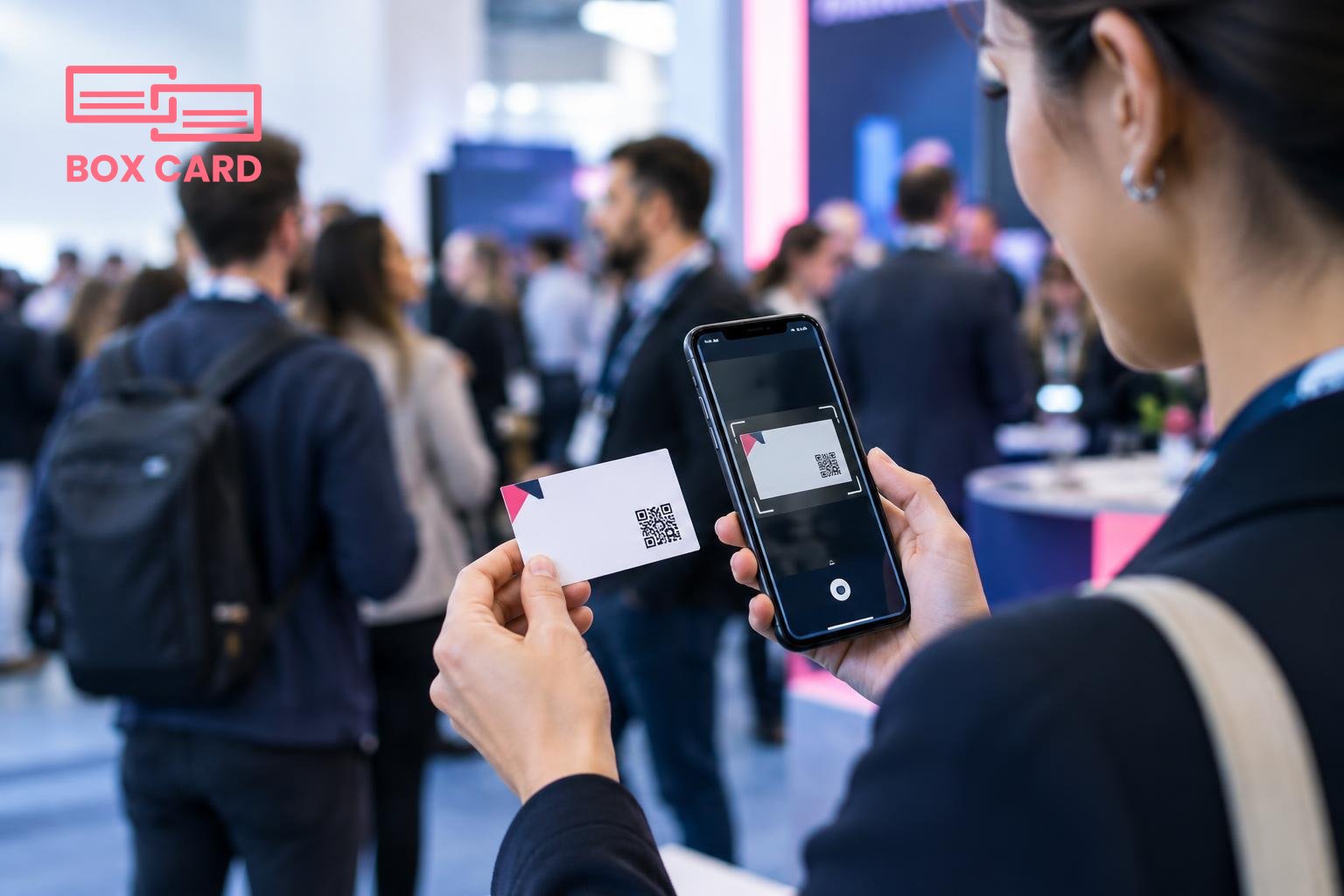
If you use a business card scanning app at the event, keep the interaction natural. Say, "Can I scan your card so I don’t lose it?" People expect digital capture. Use the app to add a one-line note after scanning: where you met and the topic. That one-line context will change whether the contact becomes a connection.
Immediate post-event triage: within 24 hours
Most connections cool quickly. Triage contacts on two axes: priority and required action. Priority is high for clear opportunities, medium for useful contacts, low for people you met casually.
- Digitize now: use your chosen app to scan every card you kept. Today, that often means a business card OCR app so names and details become searchable.
- Add context: tag or label contacts with event name, company, and reason to follow up. A note that captures the promised follow-up reduces guesswork later.
- Triage actions: schedule the next step. High priority: send a personalised follow-up and add to CRM if appropriate. Medium: connect on LinkedIn with a short reminder message. Low: archive in your business card management folder for future reference.
What to write in a follow-up message
Use a short template, then personalise two things: a reminder of where you met, and an explicit, simple next step. Examples work well because they reduce friction.
- Thank you plus value: "Great to meet you at the AI session yesterday. I mentioned a shortlist of vendors; here is the PDF I promised. If useful, can we book a 20-minute call next week?"
- Quick meeting request: "Hi Sarah, enjoyed our chat at the digital infrastructure panel. Are you available Wednesday at 10:00 or Thursday at 15:00 for a short call to explore collaboration?"
- Light touch connection: "Pleasure meeting you at London Tech Week. I enjoyed your point about developer experience. I’ve sent a connection request on LinkedIn so we can stay in touch."
Personalisation matters. A single line referencing a detail from your conversation makes the message feel genuine rather than a mass outreach.
Integrating contacts into your workflow
After digitizing, decide how contacts will flow into your systems. If you use a CRM, check whether your app supports CRM integration or simple export formats. Many teams use a two-step approach: store scanned cards in a business card management app or Cloud business card management repository, then export qualified leads into CRM business card management processes when they reach a clear stage.
Two common workflows:
- Lean team: scan everything into a central app, tag prospects, and export high-priority entries into your CRM manually once they respond. This reduces noisy data in the CRM.
- Sales-driven: forward every scanned lead with a qualifying tag into the CRM automatically, and let sales triage, using CRM business card management rules to assign owners and next steps.
If you want to reduce manual entry, look for a High-accuracy business card scanning app or an AI business card scanner to minimise errors during capture. Whether you choose automated exports or manual reviews depends on the cost of mistakes in your CRM versus the speed you need.
Follow-up cadence: how often and when
Timing and frequency depend on the relationship type. A simple rule:
- High priority: initial follow-up within 48 hours, then one to two gentle reminders spaced 4 to 7 days apart, and a longer-term check-in at 6 weeks if there is no response.
- Medium priority: connect on LinkedIn within 48 hours and send a single email within two weeks offering value or resources.
- Low priority: archive in your business card data management system with an annual review reminder.
Keep messages short. Each outreach should ask for one specific next step or offer one clear piece of value.
Common mistakes and how to avoid them
- Collecting without context: writing notes on the card or in your app saves time later. A scanned card with no context is just a name.
- Waiting too long: responding outside a week reduces meeting acceptance dramatically.
- Overloading the CRM: pushing unqualified, low-value cards into your sales CRM creates noise. Use a business card management stage before CRM integration.
- Poor data quality: review OCR results for name and email errors. A mass email to the wrong address wastes effort and risks reputation.
One short, personalised message within two days is worth more than a dozen generic emails later.
If you want a practical tool to digitize and organise cards after events, try a business card digitization app that fits your workflow. Boxcard is one option that focuses on business card digitization and business card management, and you can evaluate whether its export capabilities match your CRM integration needs. For teams that prefer a cloud repository, search for Cloud business card management or a business card management app that offers the features you require.
After your next UK tech event, use this checklist: carry cards, use an app to digitize or scan immediately, add a one-line context, triage within 24 hours, send a short personalised follow-up within 48 hours, and move qualified contacts into your CRM only when they meet your criteria. Those steps turn single exchanges into working relationships.
